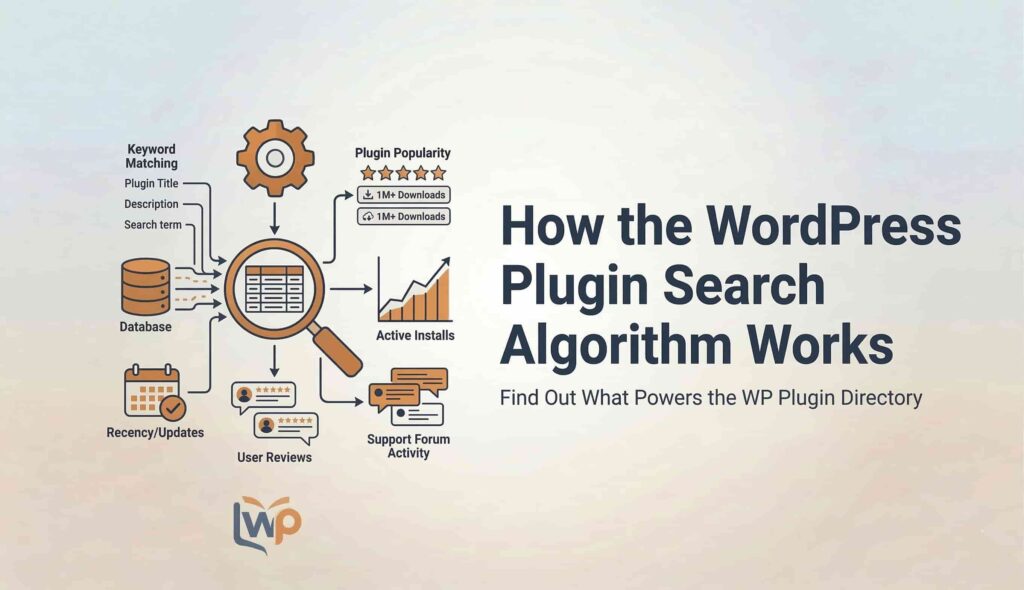
If you publish a plugin on the WordPress Plugin Directory, you may have noticed that some plugins rank at the top of search results while others remain buried on later pages.
This happens because WordPress uses a plugin search ranking algorithm to determine which plugins should appear first when users search for a keyword.
Understanding this system is extremely important for plugin developers, marketers, and businesses who want their plugins to gain more visibility, downloads, and users.
In this guide, you will learn how the WordPress plugin search system works, what factors influence ranking, and how each factor contributes to the final search score.
How the WordPress Plugin Search System Works
When a user searches for a plugin in the WordPress plugin directory, the system calculates a ranking score for every plugin that could match that search term.
The ranking score is calculated using the following formula:
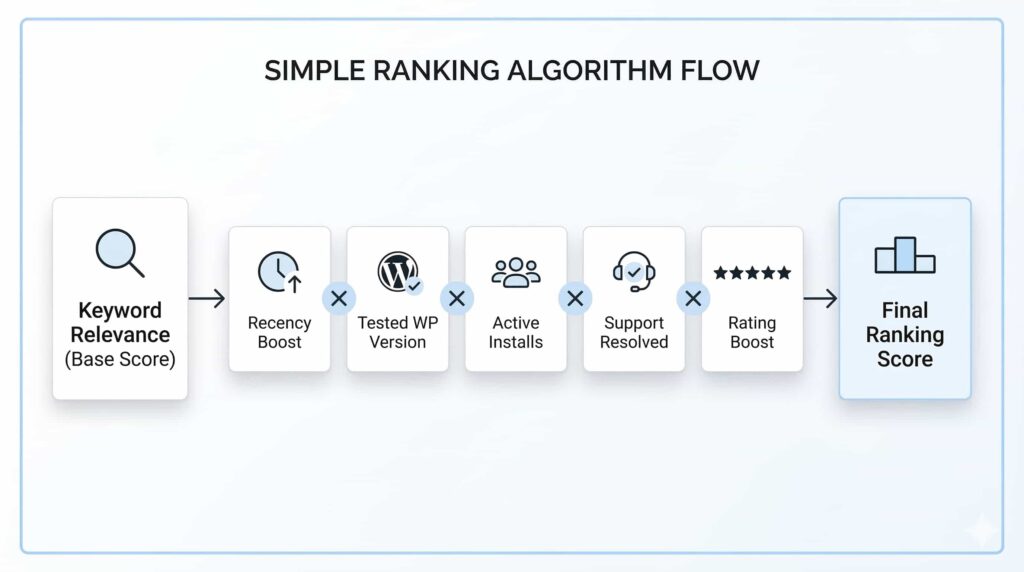
Final Score = Keyword Relevance × (Recency Boost × Tested WP Version Boost × Active Installs × Support Resolved Boost × Rating Boost)
This means:
- The system first calculates Keyword Relevance.
- That value becomes the base score.
- All other ranking factors multiply this score.
- The plugin with the highest final score ranks higher in search results.
Because all other factors multiply the base score, keyword relevance is the most important factor in the ranking system.
1. Keyword Relevance (Base Score)
Keyword relevance is the foundation of the entire ranking system.
This score measures how closely a plugin matches the search query entered by the user.
For example, if someone searches for:
“Elementor Form Builder”
Plugins containing this exact phrase in important fields will receive a higher score than plugins that only mention the keywords once in the description.
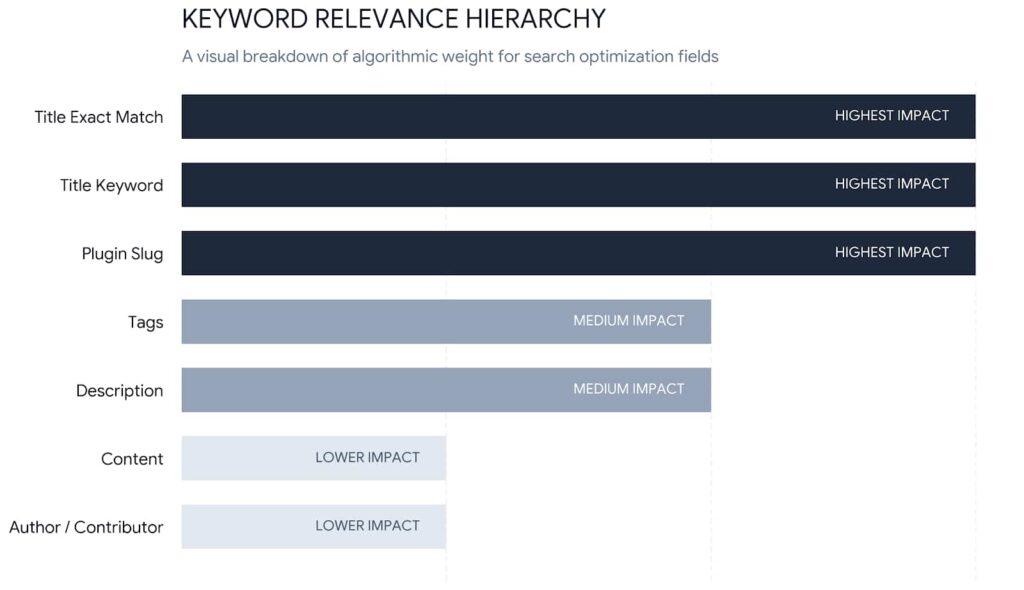
The system checks multiple plugin fields to determine how relevant the plugin is to the search term.
Fields Considered in Keyword Relevance
The search system looks for keywords in several places within the plugin listing.
Each field has a different level of importance.
Exact Phrase in Title
This has the highest impact.
If the exact search phrase appears in the plugin title, the plugin receives a strong boost.
Example:
Search term: “Elementor Form Builder”
Title example:
“Elementor Form Builder – Advanced Form Plugin”
This would receive a very strong relevance score.
Keyword in Title
Even if the exact phrase is not used, having the keywords in the title still gives a strong boost.
Example title:
“Advanced Forms for Elementor”
This would still match keywords like forms and Elementor.
Keyword in Plugin Slug
The plugin slug is the URL identifier of the plugin.
Example slug:
elementor-form-builder
If the search keyword appears in the slug, it contributes significantly to relevance.
Exact Phrase in Tags
Tags help WordPress understand the plugin category.
If the exact phrase appears in the tags, it gives a high impact relevance boost.
Example tags:
- elementor forms
- form builder
- elementor form builder
Keyword in Tags
If individual keywords appear in tags, the impact is medium to high.
Example:
Search: form builder
Tags:
- forms
- form builder
- contact forms
Keyword in Description
The plugin description also contributes to keyword relevance.
If keywords appear naturally in the short description, the system considers the plugin more relevant.
However, the impact here is medium, not as strong as titles or tags.
Keyword in Full Content
The full plugin content (mainly the readme file) also influences ranking.
The system checks how often keywords appear in the content.
However, repeating the keyword too much will not increase ranking after a certain point.
Author or Contributor Match
If the search term matches the plugin author or contributor name, it gives a small relevance boost.
However, this factor has low impact compared to other fields.
Keyword Usage in Readme Content
The plugin readme file is important for SEO in the plugin directory.
The number of keyword appearances affects the content relevance score.
However, after a certain number of mentions, the system reaches keyword saturation.
Below is a general example of how keyword usage affects ranking.
| Keyword Appearances | Relative Boost | Recommended Content Length |
| 0 | 0 | Not recommended |
| 1 | 1.0x | 300–500 words |
| 2 | 1.3x | 500–700 words |
| 3 | 1.5x | 700–900 words |
| 4 | 1.6x | 900–1000 words |
| 5 | 1.7x | ~1000 words |
| 6 | 1.75x | ~1200 words |
| 7–8 | 1.85x | ~1500 words |
| 9–10 | 1.9x | 1500–2000 words |
| 12 | 1.95x | ~2000 words |
| 15+ | ~2.0x (maximum saturation) | 2500–3000 words |
This means that including your target keyword 10–15 times in a natural way usually gives the maximum benefit.
Keyword Relevance Formula
The keyword relevance score is calculated as:
Keyword Relevance =
Title Score + Slug Score + Tags Score + Description Score + Content Score + Phrase Boost
This total becomes the base score of the ranking system.
Every other ranking factor multiplies this base score.
2. Recency Boost
The Recency Boost rewards plugins that are updated frequently.
Plugins that receive regular updates are considered:
- More secure
- Better maintained
- Compatible with modern WordPress versions
Because of this, recently updated plugins get higher ranking.
General behavior
Updated recently:
- 1–2 months ago → strong boost
Updated moderately:
- Within 6 months → moderate boost
Outdated plugin:
- Not updated for over 1 year → ranking decreases
This factor ensures that abandoned plugins do not dominate search results.
3. Tested WordPress Version Boost
Another important factor is whether the plugin is tested with the latest WordPress version.
When plugin developers release updates, they can mark the plugin as tested up to a specific WordPress version.
If the plugin is tested with the current WordPress release, it receives a ranking boost.
Example situations:
Tested with latest version
- Positive boost
Slightly outdated version
- Neutral impact
Very outdated compatibility
- Negative impact
This factor helps protect users from installing plugins that may break their website.
4. Active Installs (Logarithmic Scale)
Active installs represent how many websites are currently using the plugin.
This is a strong indicator of plugin popularity and trust.
However, WordPress does not use raw install numbers directly.
Instead, it uses a logarithmic scale.
Why Logarithmic Scaling is Used
Without logarithmic scaling, very large plugins would dominate the rankings forever.
For example:
- Growing from 100 installs to 1000 installs is a major increase.
- Growing from 1,000,000 to 1,001,000 installs is very small growth.
Logarithmic scaling balances these differences.
General Effect of Active Installs
Approximate ranking influence:
100 installs
→ Small boost
1,000 installs
→ Medium boost
10,000 installs
→ Strong boost
100,000+ installs
→ Very strong boost
However, the difference between:
500,000 installs and 600,000 installs
is much smaller than the difference between 100 and 1000 installs.
This helps new plugins compete with older ones.
5. Support Resolved Boost
The WordPress plugin directory also measures how well plugin developers respond to user support requests.
It checks the percentage of support threads that have been marked as resolved.
Plugins that actively help users receive a ranking advantage.
Typical Impact
100% resolved tickets
→ strong boost
70–90% resolved
→ moderate boost
Low resolution rate
→ minimal impact
Good support shows that the plugin is actively maintained and developer-supported.
6. Rating Boost
User ratings also influence plugin ranking.
The rating boost depends on two factors:
- Average star rating
- Number of reviews
Higher ratings increase trust and credibility.
Average Rating Impact
5-star average
→ strong boost
4–4.5 stars
→ moderate boost
Below 3 stars
→ weak impact
Review Count Impact
The number of reviews also strengthens the rating signal.
For example:
- 5 stars with 2 reviews → small impact
- 5 stars with 200 reviews → strong impact
More reviews indicate real user experience and trust.
Example of the Complete Ranking Process
Let’s consider a simple example.
Search keyword:
“Elementor Form Builder”
Plugin A:
- Strong keyword relevance
- Updated recently
- 10,000 installs
- 90% support resolved
- 4.8 rating
Plugin B:
- Weak keyword relevance
- 100,000 installs
- outdated update
- average support
Even though Plugin B has more installs, Plugin A could rank higher because keyword relevance and recency multiply the final score.
Key Takeaways About the WordPress Plugin Algorithm
The WordPress plugin search system focuses on relevance, quality, and maintenance.
The most important insights are:
- Keyword relevance is the foundation of ranking.
- Regular updates improve visibility.
- Compatibility with the latest WordPress version matters.
- Active installs increase trust but use logarithmic scaling.
- Good support resolution improves credibility.
- Higher ratings and more reviews increase ranking.
Final Thoughts
Understanding the WordPress plugin search algorithm can significantly improve your plugin’s visibility in the plugin directory.
By optimizing important fields like title, slug, tags, description, and readme content, developers can improve keyword relevance.
At the same time, maintaining regular updates, supporting users, and encouraging reviews helps strengthen other ranking factors.
When all these signals combine, the plugin receives a higher final ranking score, which increases the chances of appearing at the top of search results.
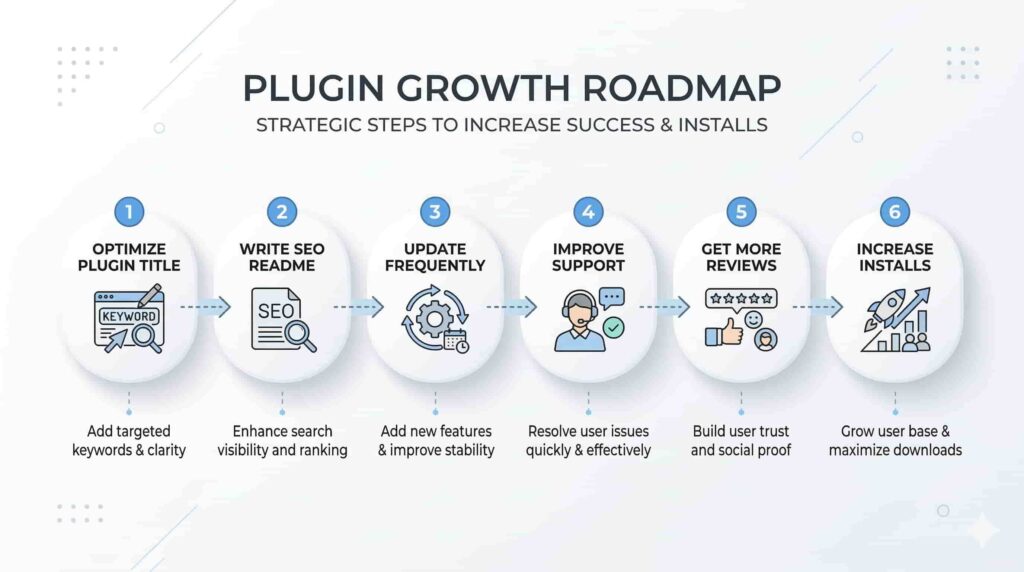
For plugin developers and businesses building tools for **WordPress, mastering this ranking system can lead to more installs, more users, and greater success in the plugin ecosystem.